 Syung

See where your train is, right on the map
App coming soon · You can use it on the web today
See where your train is right now
Trains move along the real tracks. Positions refresh every 15–25 seconds, and Syung draws the movement between updates along the tracks. Tap a train to follow it.
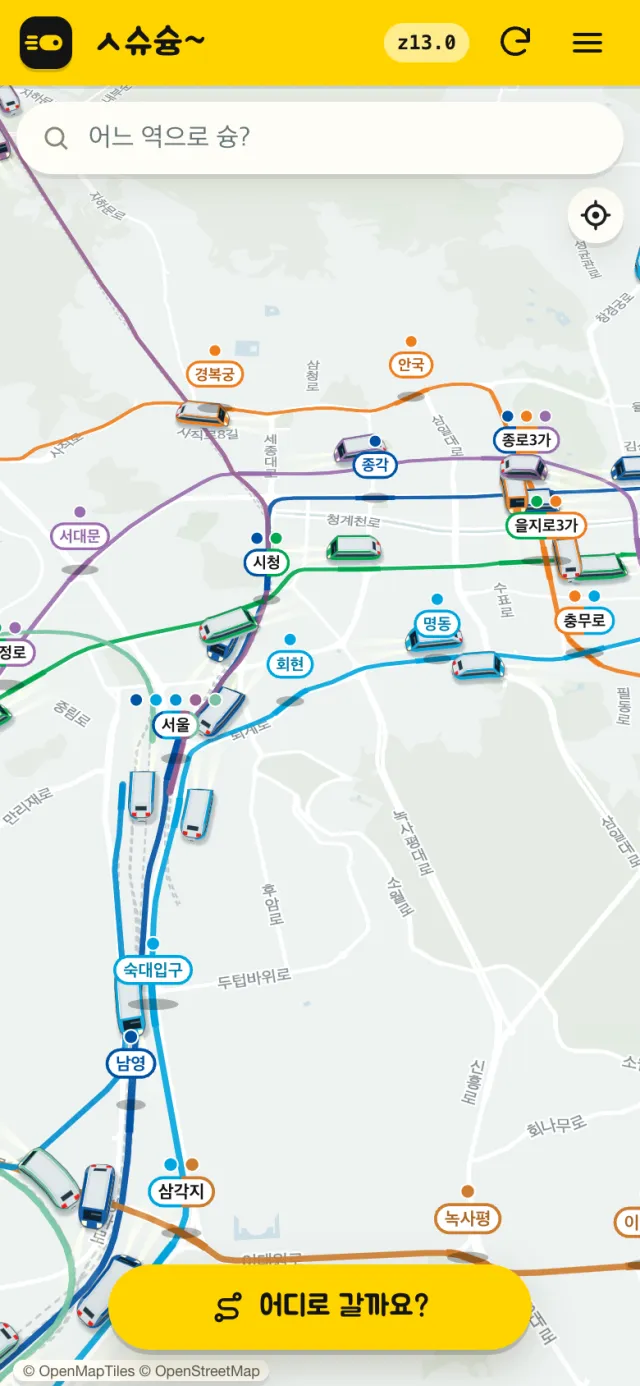
Just choose where to go
Combines subway, bus and walking and shows the fastest routes first. Where live data is available, it also shows where the train you'll take is right now.
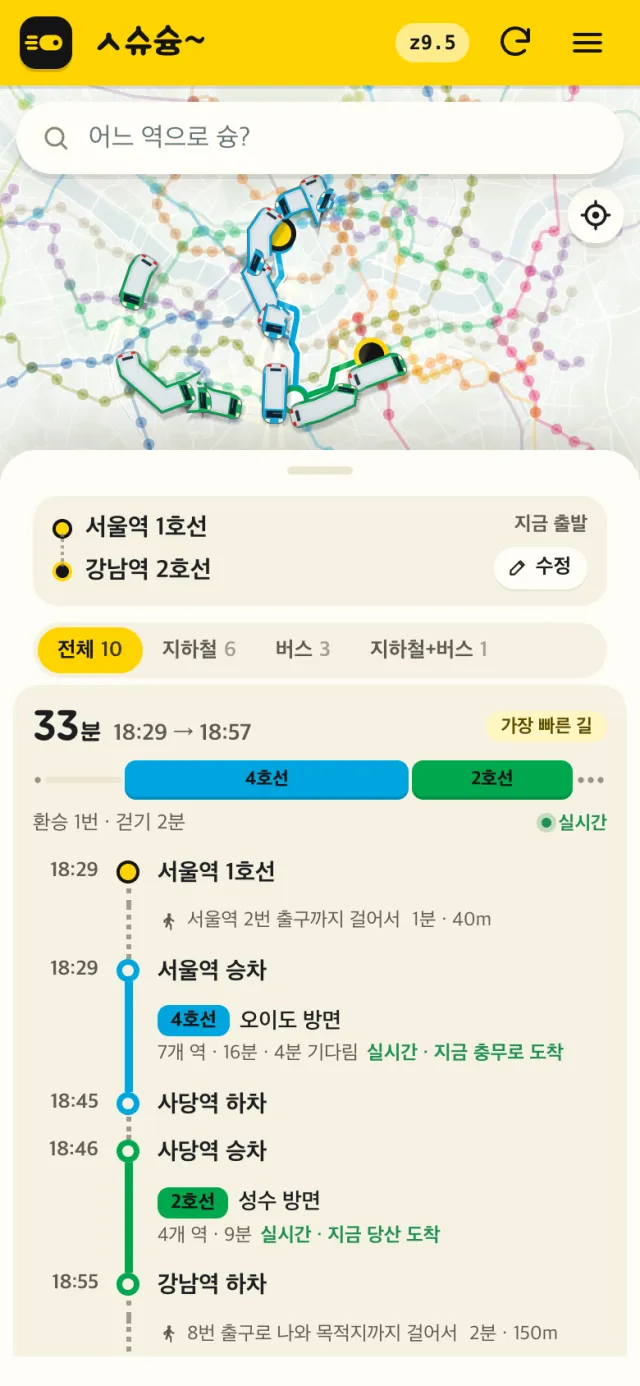
With you all the way
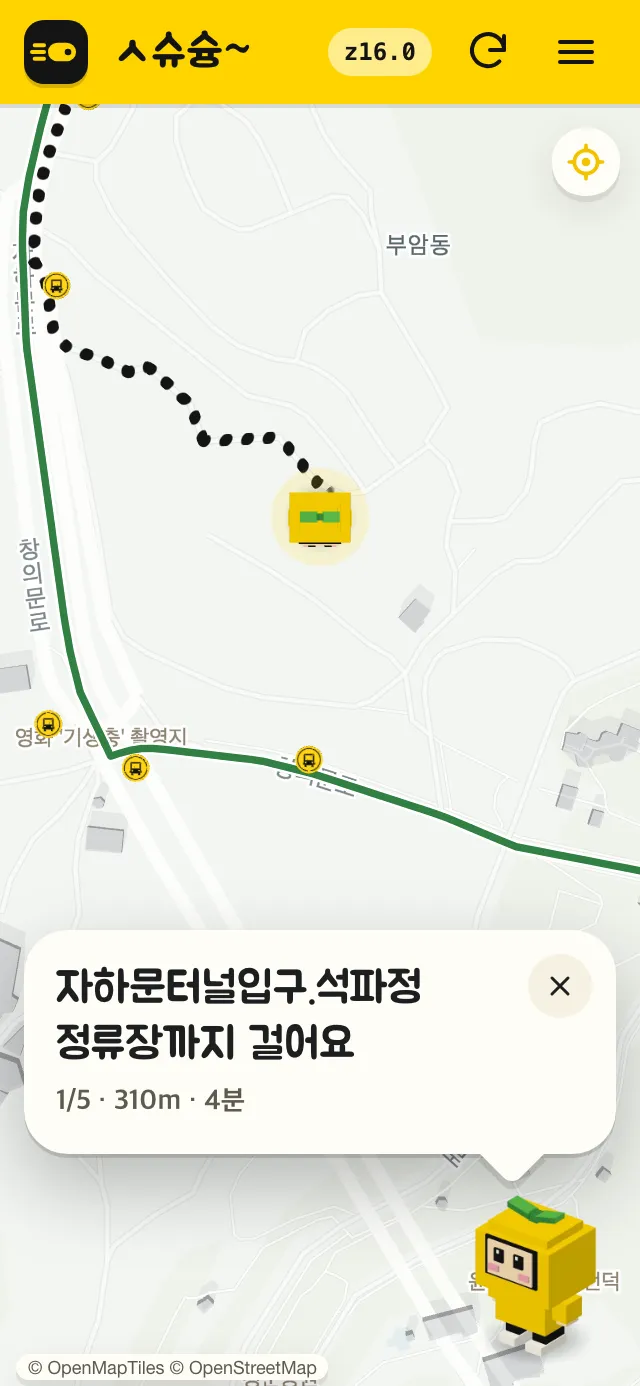
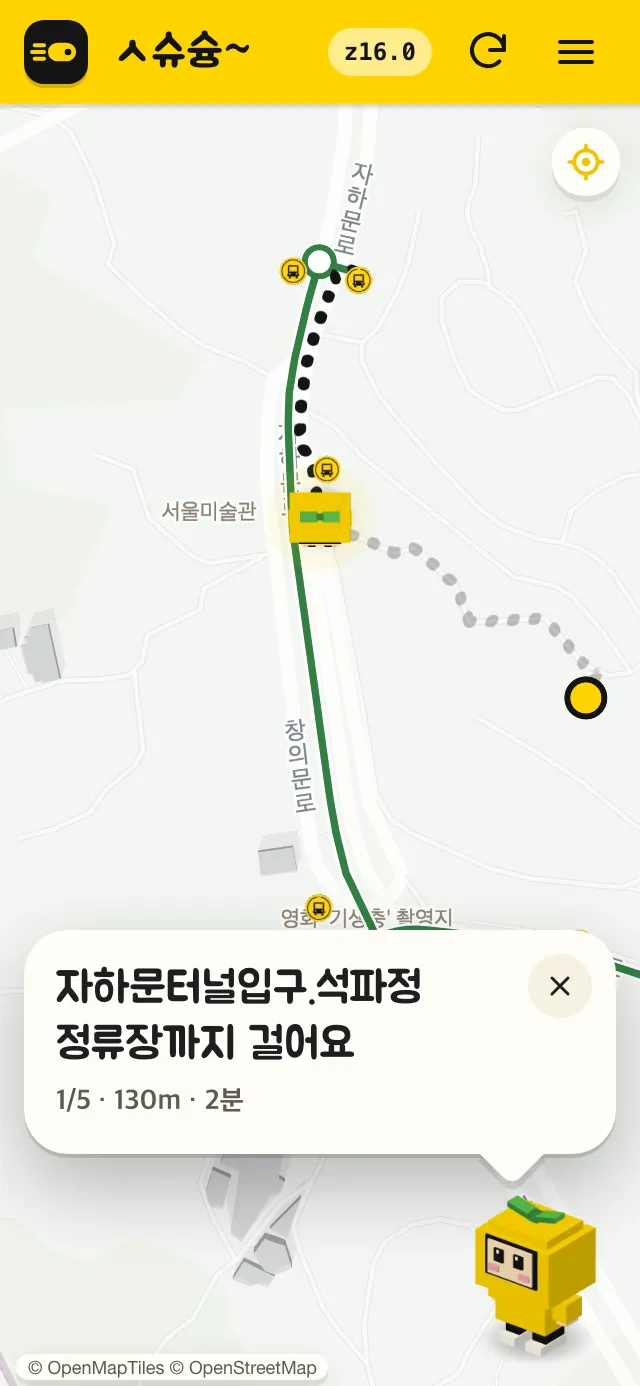
Tap 「이 길로 출발」 (start this route) on a route to start step-by-step guidance. It tells you where to walk, how many minutes until your train or bus arrives and how many stops are left, and while you ride, the map follows your train. If you stray from the walking path, it keeps the subway and bus you chose and finds a new walking path only.
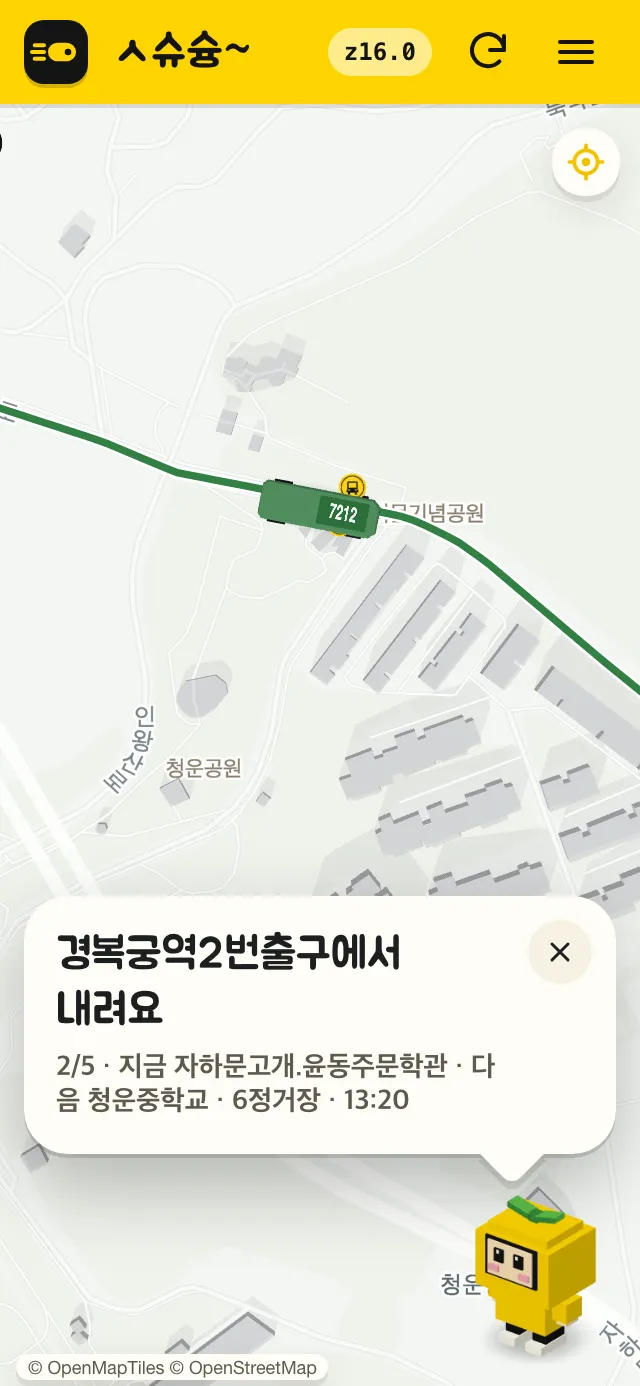
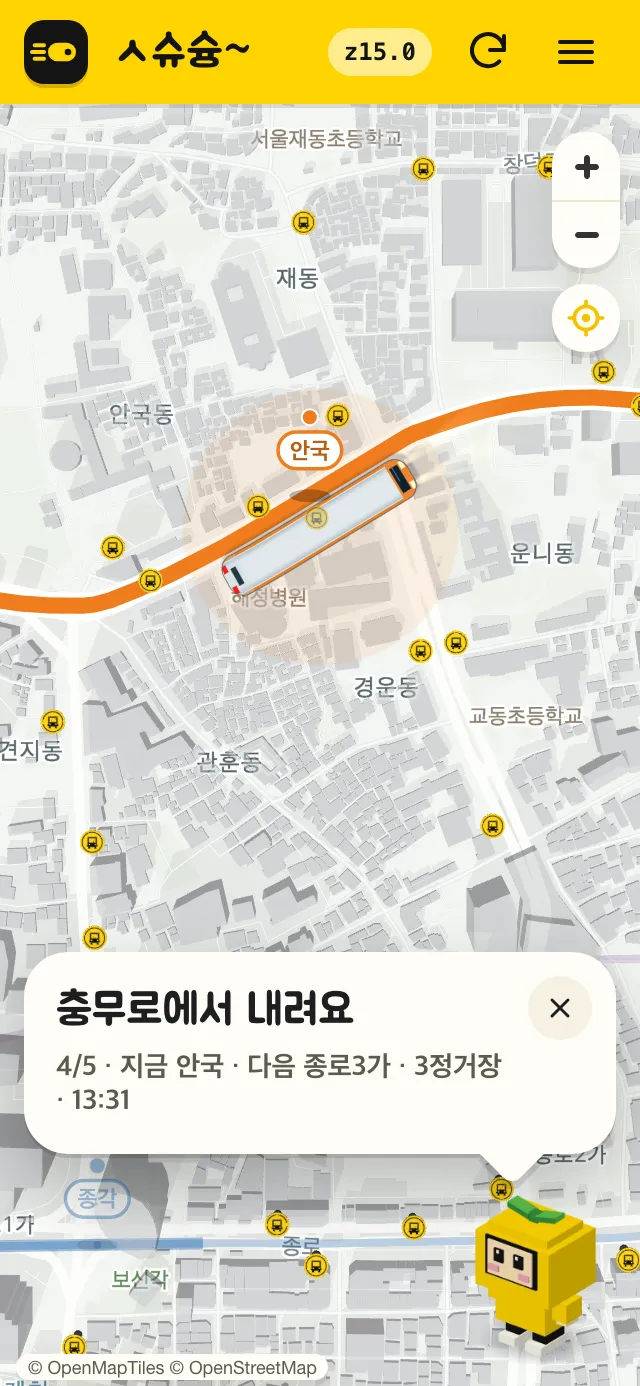

Tickets — your usual trip, timed to when you ride
Save a trip you take at the same time every day, like your commute, as a single ticket.
- Set the trip and the timeChoose a start, a destination, a departure time and the days you ride.
- Pick a route for that timeSyung finds routes for that time on your next riding day. Choose one and it goes on the ticket.
- Flip the ticketThe back shows where you transfer, when you leave and which days you ride, and tickets for today are marked "Today". Use "View on map" to draw the trip on the map.
Tickets are available after you sign in.
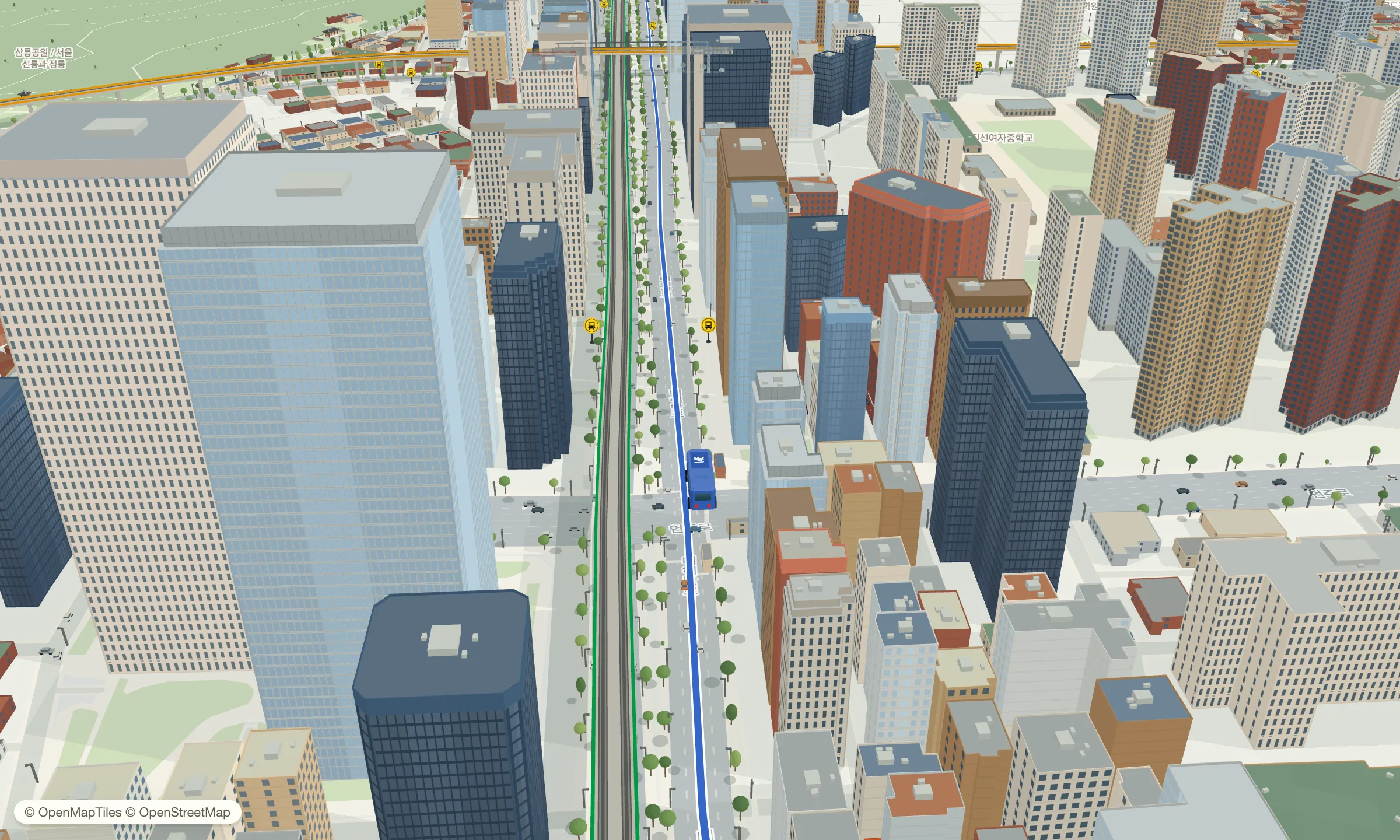
Same Seoul, a different world
Your commute map can turn into a tiled-roof village, a StarCraft city or a pixel game. Tap a mode to preview it.

Your character changes too
Zoom in and a character stands where you are. Switch modes and the character changes with the map.
 Sprout HoodieBasic
 Little Site BossSimCity
 Little ScholarJoseon
 Day OutRoller coaster
And more
- Jump straight to a station by name
- Tap a station to see the trains coming in
- Light and dark screens, or let it follow day and night automatically
Frequently asked questions
How accurate are the train positions on the map?
Live train data runs about 20 seconds to 1 minute behind reality, and train positions update every 15–25 seconds. Syung fills the gap by moving trains along the tracks, so a train on the map can be slightly off from the real one.
What is a ticket?
A ticket is a saved trip you take often. Pick a start, a destination, a departure time and the days you ride, and Syung finds routes for that time on your next riding day; the route you choose is kept on the ticket. Flip the ticket to see where you transfer and when you leave, and tickets for today are marked "Today".
Do I need to sign in?
No. The map and route search work without signing in. Only features that save things for you, such as tickets, need you to sign in.
Where does the data come from?
Lines, stations and timetables come from the KTDB (Korea Transport Database, The Korea Transport Institute) public transit GTFS, live train positions and arrivals from the Seoul Open Data Plaza, and the base map and track shapes from OpenStreetMap contributors (ODbL) and OpenMapTiles.
Does it work on my phone?
Yes. For now it opens right in the browser on phones and computers — nothing to install.
Can I download the app?
Not yet. iOS and Android apps are in the works and aren't in the app stores yet, so you can't download them today. Until then you can use the same map on the web.
Will I have to remake my tickets in the app?
No. Tickets are saved on the server, so they'll be there when you sign in to the app with the same account.
Want to see where your train is right now?
Open on the web nowApp in the worksiOS and Android apps are in the works